Your LinkedIn Profile Is Your Landing Page — Optimize It Like One

In today’s digital world, the first impression isn’t made during a handshake — it happens online. Before a potential client reaches out, before an investor agrees to meet, before a recruiter schedules an interview — they look you up. And more often than not, the first thing they see is your LinkedIn profile.
Think of it as your personal website, your digital storefront, your landing page. A landing page isn’t just about existing — it’s built to convert. Similarly, your LinkedIn profile shouldn’t just state who you are, but sell what you bring to the table. When optimized well, it attracts opportunities even while you sleep.
So, how do you turn your profile into a conversion-ready asset? Here’s a structured breakdown you can start applying today.
1. Craft a Headline That Tells Value, Not Just Job Title

Rafa Gandia’s LinkedIn Profile is a good example of this.
Your headline is the hook — the first line that decides whether someone goes on to read more. Instead of writing just “Founder at X” or “Marketing Manager,” use a value-driven headline that communicates what you do and who you help.
Example:
❌ Product Manager
✔ Product Manager helping SaaS startups improve onboarding & retention
Make it outcome-focused and benefit-oriented.
2. Build a Summary That Reads Like a Story, Not a Resume
Your About section is where your personal brand breathes. People don’t connect with responsibilities; they connect with narratives. Share your professional journey, highlight key achievements, talk about what drives you, and the problems you solve.
Use a warm but confident tone, and end with a clear call-to-action — invite connections, collaborations, or messages.
Structure you can use:
- Who you are + core strengths
- What problems do you solve?
- Results you’ve delivered
CTA: “Open to partnerships | Let’s connect to discuss…”
3. Visuals Matter — Choose Photos That Build Trust
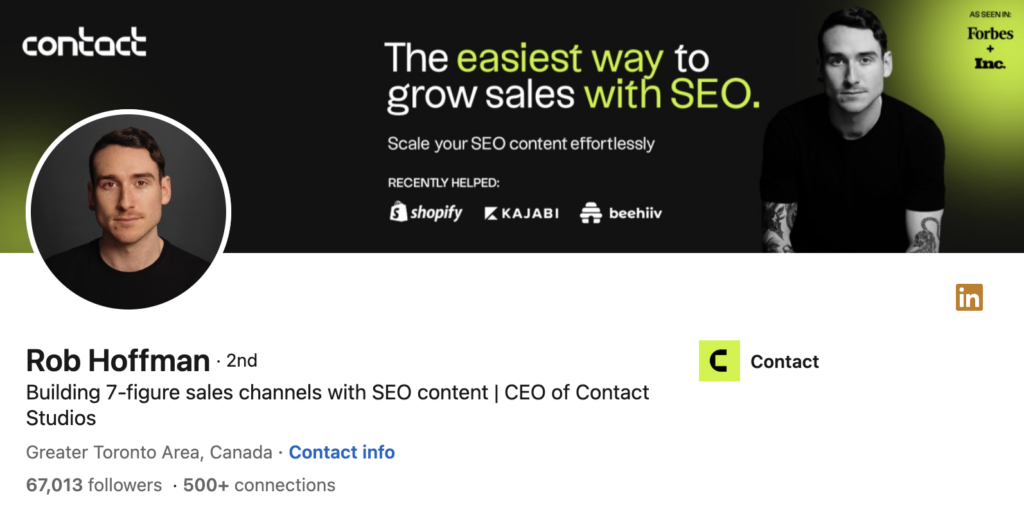
Rob Hoffman’s LinkedIn Profile is a good example of this.
Just like a landing page banner image matters, your profile photo and cover banner set perception instantly. Select a professional headshot with good lighting and a confident expression. Your banner should reflect your niche — industry-themed, brand colors, or a tagline.
Remember: people trust faces more than descriptions.
4. Treat the Experience Section Like Case Studies
Don’t just list responsibilities — show impact. Add metrics, outcomes, and achievements. For each role, try framing your entry like a mini case study:
- What were you responsible for?
- What challenge did you solve?
- What measurable result followed?
Example:
“Increased lead conversions by 30% through optimized email flows.”
Numbers build credibility faster than adjectives.
5. Skills & Endorsements Are Social Proof — Use Them Strategically
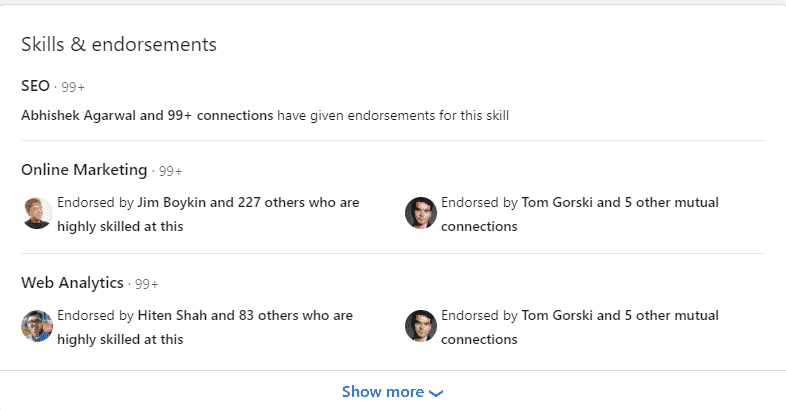
Image Source: LinkedIn Post
A landing page showcases testimonials; on LinkedIn, your skills, endorsements, and recommendations serve the same purpose. Add relevant skills that reflect your expertise today, not who you were five years ago. Encourage colleagues, mentors, or clients to endorse or endorse you based on projects worked together.
Social proof = Trust. Trust = Conversion.
6. Content Is Your Ongoing Marketing Funnel
An optimized profile attracts people, but your content keeps them engaged. Share insights, stories, learnings, achievements, and behind-the-scenes experiences. Post consistently — even once a week builds recall. Add value through:
- Industry insights
- Personal experiences
- Thought leadership posts
- Tips, frameworks, mini case studies
Visibility builds authority.
7. Make It Easy for People to Contact You
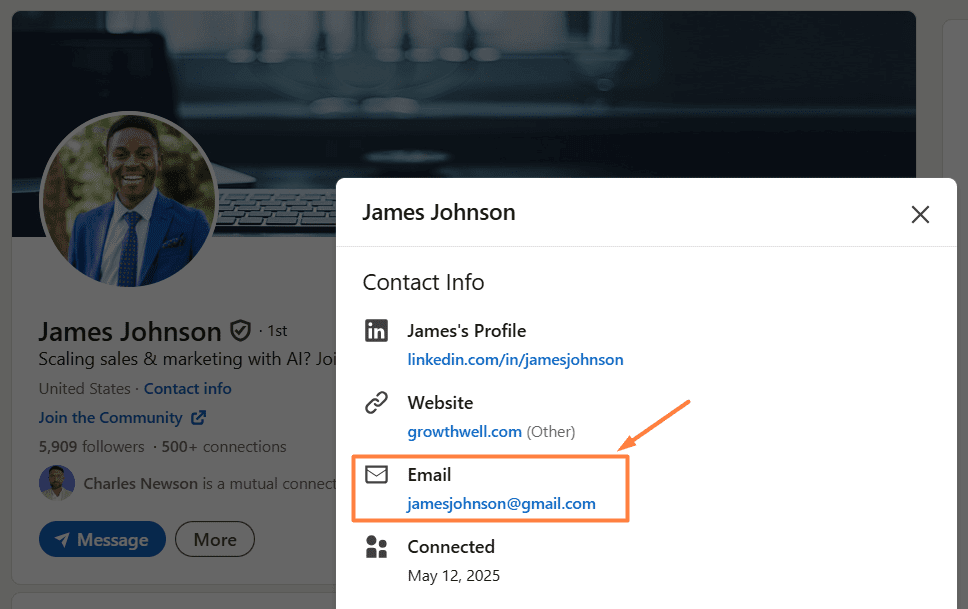
James Johnson’s LinkedIn Profile is a good example of this.
Like any good landing page, your LinkedIn should end with a clear call-to-action. Add your email, website, or booking link to your About and Contact sections. Use the Featured section to highlight portfolios or scheduling links. Make connecting with you quick and effortless. The easier it is to reach you, the more opportunities you attract.
Conclusion
Your LinkedIn isn’t just another social profile — it is your digital conversion engine. When optimized well, it builds trust, positions you as an authority, and creates opportunities effortlessly. Approach it with the mindset of a landing page — value-driven, user-focused, and conversion-oriented.
For more professional insights, content strategy guides, and LinkedIn branding tips, follow Social Buzz, where we simplify marketing and personal branding for modern professionals.
FAQ’s Section
1. Why is your LinkedIn profile your landing page?
Your LinkedIn profile is your landing page because most clients, recruiters, and collaborators see it before your website or portfolio. It acts as your digital storefront, shaping first impressions and deciding whether people contact, follow, or ignore you.
2. How do you write a LinkedIn headline like a landing page hook?
Write your LinkedIn headline like a landing page hook by going beyond your job title and focusing on who you help and what outcome you create. Use clear, benefit-driven language that tells visitors why you are valuable in one glance.
3. How should the About section work like a landing page?
Your About section should read like a story-led sales page, not a resume. Describe who you are, what problems you solve, the results you’ve delivered, and end with a clear call-to-action that tells visitors exactly how to connect or work with you.
4. How can LinkedIn visuals increase profile conversions?
LinkedIn visuals increase conversions when your profile photo, banner, and Featured section mirror a landing page hero image and proof. Use a professional headshot, a niche-relevant banner, and featured case studies or links that signal trust and expertise.
5. How do experience, skills, and content turn your profile into a conversion engine?
Treat experience entries like mini case studies with metrics, keep skills and endorsements aligned with your current focus, and publish content that showcases your thinking. Together, they act like testimonials, proof, and nurture sequences that move visitors to contact you.
Author




Comment (01)